
How to Play Diablo Immortal with 60 FPS on NoxPlayer
Download NoxPlayer, Play Diablo Immortal with 60 FPS
- Download the latest version of Android 7(64bit) or Android 9(64bit) here.
Android 7(64bit):

Android 9(64bit):
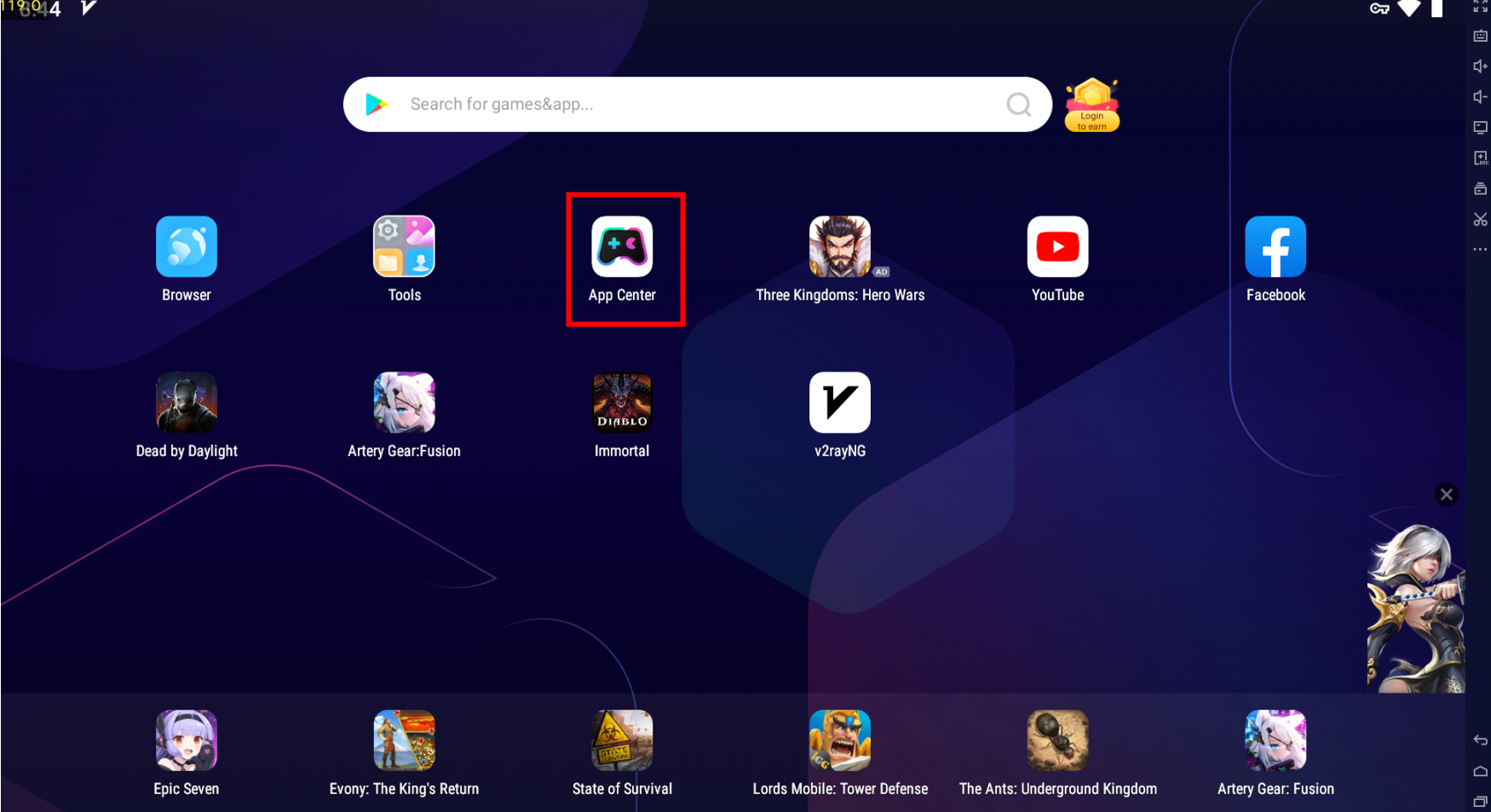
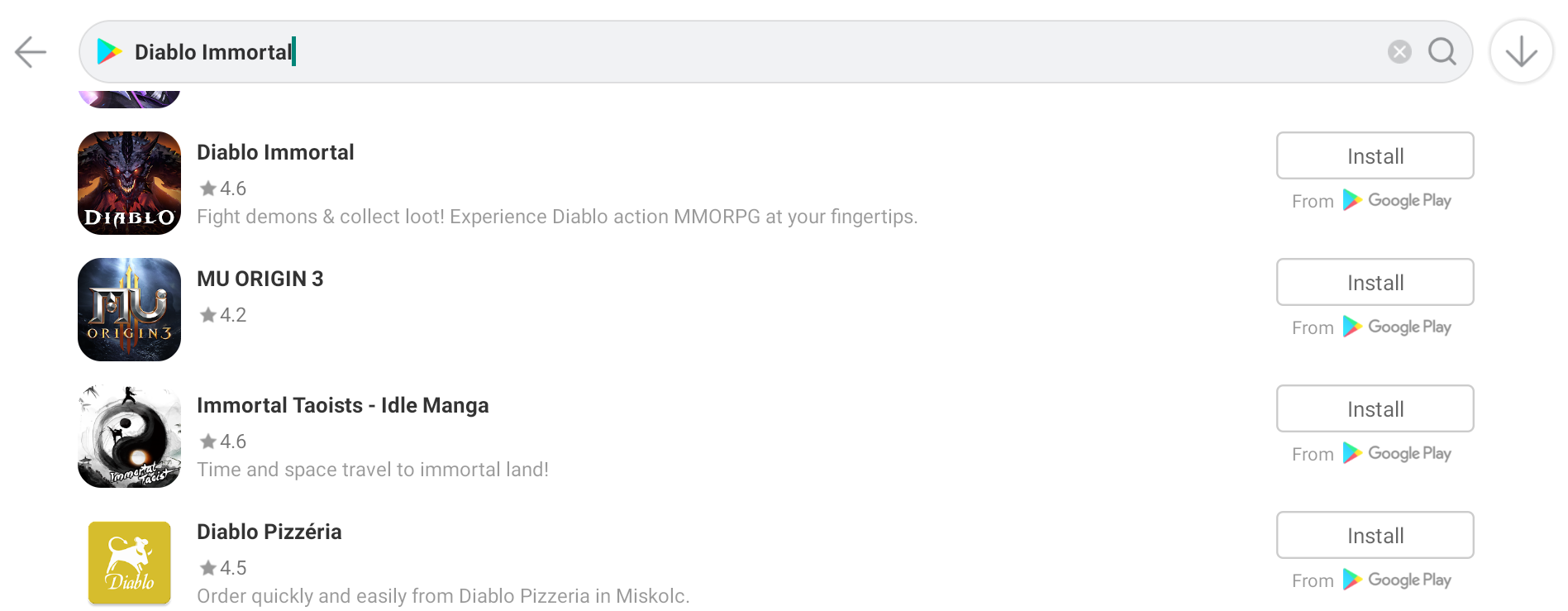
2. Go to AppCenter >> Search for Diablo Immortal >>Install it
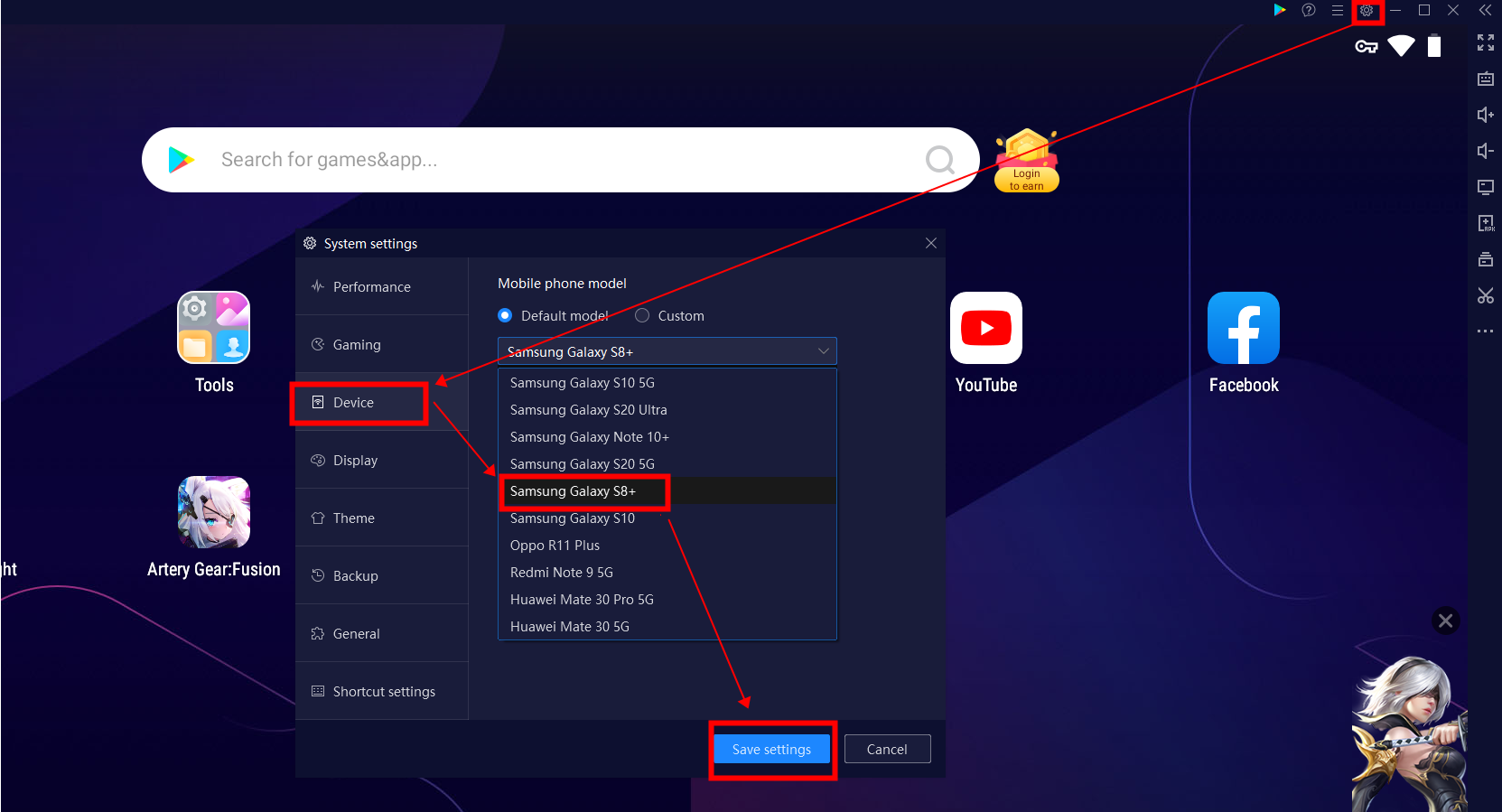
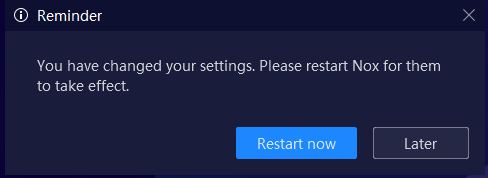
3. Go to Settings >> Device >> Select Samsung Galaxy S8+ >> Save settings >> Restart NoxPlayer
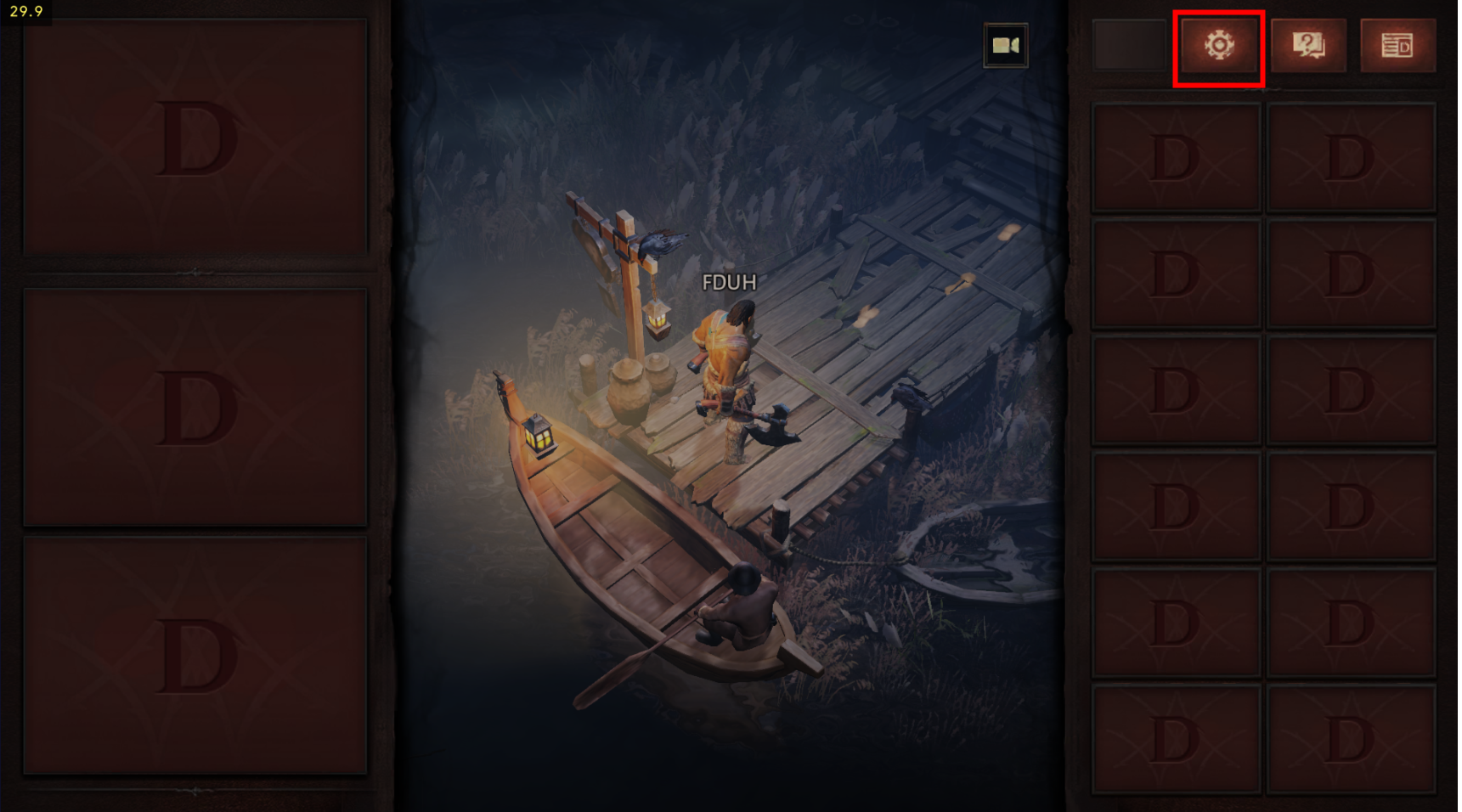
4. Lauch the game >> Settings
5. Graphics >> FPS >>60
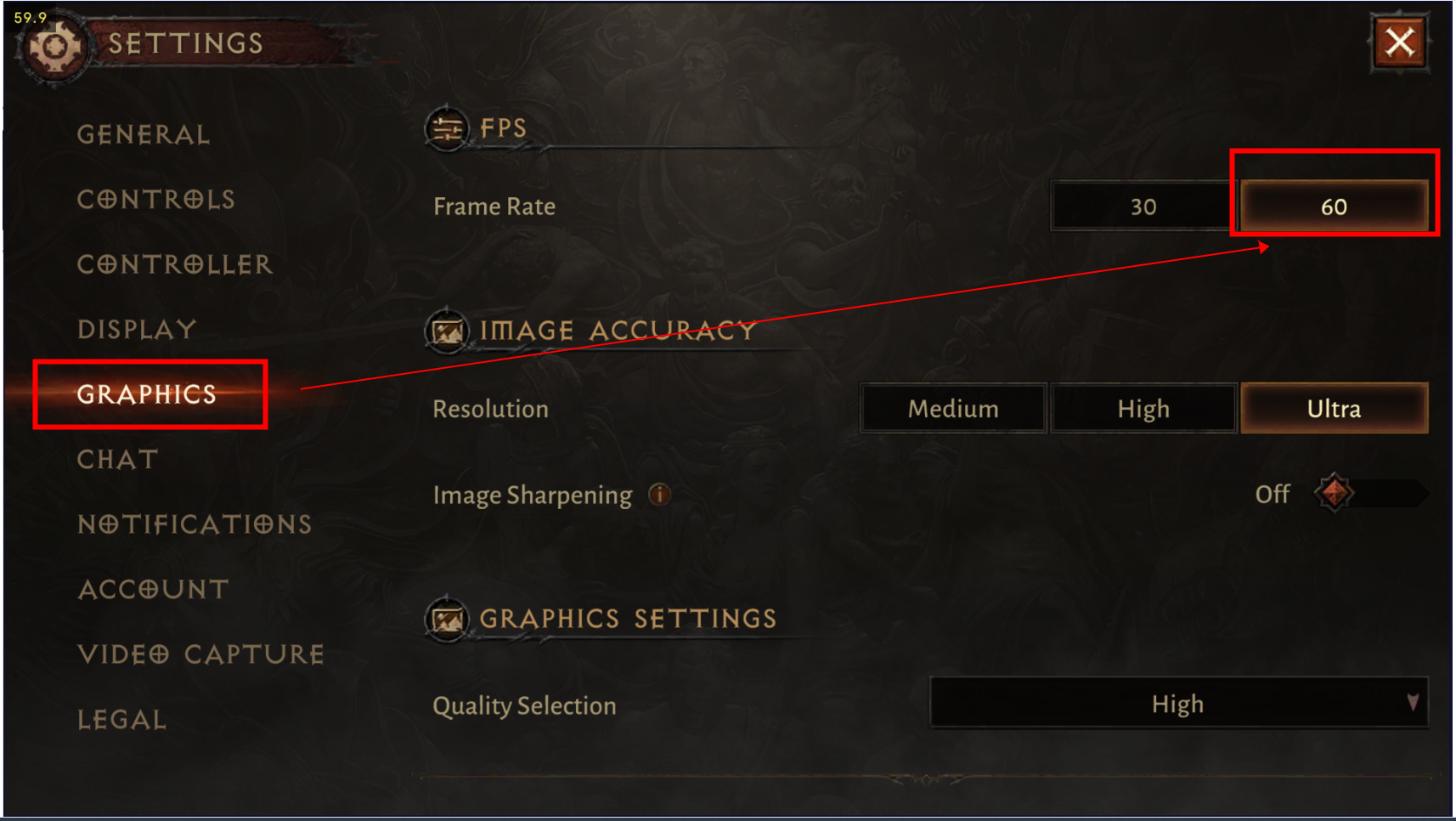
And then, you can enjoy Diablo Immortal with 60 FPS!!