






Please download with PC browser
NoxPlayer is designed for Windows and MAC OS, please visit this website via computer browser to download NoxPlayer.
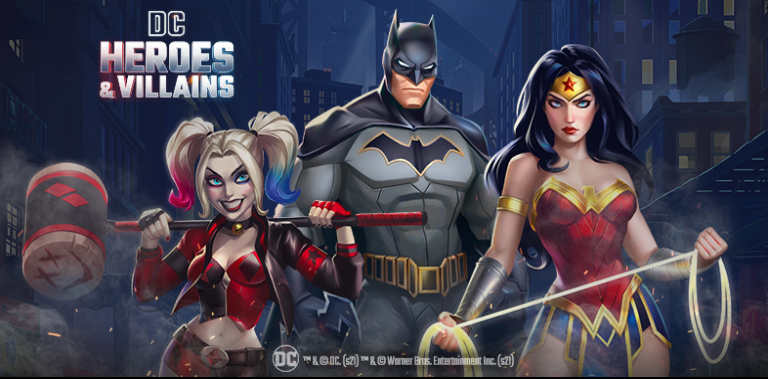
The DC universe needs YOU in DC Heroes & Villains, an epic Puzzle RPG super hero game! Collect and train legendary DC icons like Batman, Superman, Wonder Woman, Lex Luther, Harley Quinn and take on enemies to survive extinction!
A mysterious pulse has stripped away all super powers, and it’s up to you to assemble the ultimate super team and fend off this galactic threat. Become the master with your very own team of DC Super Heroes and Super-Villains, and prepare for epic battles in this all-new puzzle RPG game!
Explore iconic locations from the alleyways of Gotham City to the depths of Atlantis, and prepare for epic battles. Build your very own team of fan favorite DC Super Heroes, Super-Villains or both, and become the master in RPG Puzzle games to wipe out your enemy and survive extinction.
Strengthen your team and unite with others across the universe. Work together to defeat foes and bosses for awesome rewards in limited time events.

1Download NoxPlayer on your PC.

2Run the installation package and complete the installation.

3Search for DC Heroes & Villains on NoxPlayer.

4Install the game in Google Play.

5Click the game icon to start it.

6Play DC Heroes & Villains with NoxPlayer on PC easier!
Method 1. Click "Download on PC" to download NoxPlayer and apk file at the same time. Once installation completes, play the game on PC.
Method 2. If you already have NoxPlayer on PC, click "Download APK", then drag and drop the file to the emulator to install.
Please download with PC browser
NoxPlayer is designed for Windows and MAC OS, please visit this website via computer browser to download NoxPlayer.

